Showing posts with label Libraries. Show all posts

Thursday, October 23, 2014

What does the library mean to you?

This year the library is going to participate in the Texas Library Association (TxLA) Snapshot Day.  It allows libraries and library users to showcase library activities.  It is a "snapshot" of a day in the life of our library.

On October 30 & 31, help showcase the new Library Learning Commons and show the importance of the library by telling us why you come to the library and giving us feedback.  Have your picture taken, too!

Find out about the annual event held by TxLA:  http://www.texaslibrarysnapshotday.org/

To view pictures from past Library Snapshot Days visit the TxLA Flickr page -  https://www.flickr.com/groups/librarysnapshotday

Friday, May 3, 2013

National Digital Public Library Launched

The National Digital Public Library was launched April 18th. It is a project to make available the holdings of America's archive, research libraries, and museums. The library serves as a portal to the digital collections of several libraries. Among the hubs are Harvard, University of Virginia, David Rumsey Map Collection, National Archives and Records Administration, the New York Public Library, and the Smithsonian to name a few. Items included in the library are maps, photographs, medieval manuscripts, Latin American pamphlets, over 3,000 daguerreotypes, and 420 trial narratives involving marriage and sexuality. In the coming months items on music, zoology, cartography, and colonial history will be added. Currently the library has between two and three million items. The Digital library is searchable by date, place, exhibition, or bu using a search box. When you receive your search results it indicates which collection they are from and how many items each repository has on you r subject. To visit the National Digital public Library visit: http://dp.la/ for an article about the library see: http://www.nybooks.com/articles/archives/2013/apr/25/national-digital-public-library-launched/?page=1

Monday, April 29, 2013

Texas Library Association

The Texas Library Association (TLA) just held its annual conference in Fort Worth, April 24-27.  Although the association was established in 1902, the first conference was not held until 1914, so 2013's conference was the 100th!

Today, TLA has over 7,600 members and is the largest state library association (with the largest state conference) in the country.  This is the first time the conference was held in Fort Worth since 1997.  It had grown so large that the conference had only been held in Houston, Austin, San Antonio, and Dallas since then.

With the conference so close, most of the library staff was able to attend at least one day.  As I write this after the last conference day, I and my colleagues are exhausted but energized with ideas to improve Tarleton Libraries for our users.  Watch for future posts by other members of the LOL blog team on things we learned or saw at conference!

Tuesday, April 9, 2013

2013 READ Poster Reveal

Staff members at Dick Smith Library are excited about our upcoming National Library Week (April 14-20) celebration and our 2013 READ poster unveiling

Can you guess who will be featured this year?

You don't have to wait long for the answer. On Monday, April 15  at 1:30 p.m. we will unveil our 2013 READ posters in the library's lobby.

Join us.  You'll be among the first to see the new posters. Plus, after the unveiling, you can enjoy refreshments, visit with friends, collect souvenir READ postcards, AND have your picture made for your own READ poster, which the library will post on its Flickr pages.

National Library Week (NLW) and READ posters are a natural fit. NLW was begun to celebrate the contributions that libraries and library staff make to their communities; READ posters celebrate the importance of reading and literacy. See?  They're a great pair. 

We hope to see you at 1:30 p.m. Monday, April 15 in the library's lobby.
 
Do you have favorite library memories or stories about reading you'd like to share? Post them here; we'd love to hear from you!

Dr. Dottavio and the Purple Poo (2010), ROTC cadets and the Tarleton Players (2011),
and the Texan Rider and the Plowboys (2012)

Friday, February 8, 2013

Quest for Information – Not Such a New Thing


Our modern day society thrives on information.  We watch the news.  We read articles in the newspaper.  We scour the Internet for information.  We use our phones to receive information  whenever and wherever we want.  People from the 19th and 20th centuries were not so different from us in their longing for information.
In the late 1800’s libraries were the central hubs of information for a community.  Scores of people went to libraries.  Andrew Carnegie wrote that the user statistics for a library established by Enoch Platt in Baltimore showed that 37,196 people were registered as “readers” and that more than 37,000 people used that library in just one year (Librarianship in the Gilded Age America:  An Anthology of Writings 1868-1901 by L.C. Schlup, p. 106)!  
Andrew Carnegie, incredible philanthropist, was himself a seeker of knowledge.  According the National Park Service, as a young boy Carnegie met Col. James Anderson of Allegheny who opened his personal library up to young workers who wished to borrow books.  When, in 1853, access to this book collection was denied, Carnegie (who was less than 18 years old) pledged to establish access to books for poor workers if he, himself, ever became rich.
And that is just what Carnegie did!  He accumulated enormous wealth and would be in the category of today’s elite wealthy, such as Bill Gates.  In the 1890’s Carnegie began to give away his fortune, mostly for the establishment of libraries, with no strings attached.  At that time there were only 400 libraries in the entire United States, with only four public libraries in Texas (Carnegie Libraries Across America: A Public Legacy by T. Jones)!  
The Fort Worth Public Library was the result of Mrs. D. B. Keeler’s letter to Carnegie.  Fort Worth received $50,000 (much more than the average figure of less than $10,000) and had an operational library by 1901. By the time Carnegie died in 1919, he had given away more than $350,000,000. Texas had gained 32 Carnegie libraries.  Across the United States, 1,689 libraries had been built by the Carnegie Foundation (from Texas Library Journal (Winter 2010) Carnegie Libraries: The Jumpstart to Public Libraries in Texas by L.M.Geppert Jacobs). 
To join Tarleton’s celebration of libraries tweet: #libraryloversmonth @TarletonLib.

Thursday, March 17, 2011

Library in Japan


My mother always said "if you think you have it bad, just look around, someone always has it worse." We thought we had a mess after the winter storm, imagine theirs. I've never seen lights on top of the stacks like these.

Tuesday, February 8, 2011

Top Ten Tuesday: 2010 Top Ten Trends in Academic Libraries

1. Academic library collection growth is driven by patron demand and will include new resource types.
2. Budget challenges will continue and libraries will evolve as a result.
3. Changes in higher education will require that librarians possess diverse skill sets.
4. Demands for accountability and assessment will increase.
5. Digitization of unique library collections will increase and require a larger share of resources.
6. Explosive growth of mobile devices and applications will drive new services.
7. Increased collaboration will expand the role of the library within the institution and beyond.
8. Libraries will continue to lead efforts to develop scholarly communication and intellectual property services.
9. Technology will continue to change services and required skills.
10. The definition of the library will change as physical space is re-purposed and virtual space expands.

Thursday, December 16, 2010

Bound Periodicals Christmas Tree!

This is an 8 foot tall tree built from 578 bound periodicals at the Texas Medical Center Library in Houston, Texas.  Photo from the Texas Library Association Facebook page.

Wednesday, November 24, 2010

Club Stroz


Check out this student tribute to the Strozier Library at Florida State University (also known as "Club Stroz").

If you get the urge to memorialize the library (or anything else), there are two Flip cameras available for checkout at the circulation desk on the main level.

Have a happy Thanksgiving!

Monday, June 28, 2010

Today in History - The Library of Congress American Memory

The staff member who was supposed to post in the Library Online Lounge is out today with an injury, and I did not remember this until a half-hour before I'm supposed to go home! Scrambling around for something to post, I Googled "today in history" and came up with this.

The Library of Congress' American Memory website
provides free and open access through the Internet to written and spoken words, sound recordings, still and moving images, prints, maps, and sheet music that document the American experience. It is a digital record of American history and creativity. These materials, from the collections of the Library of Congress and other institutions, chronicle historical events, people, places, and ideas that continue to shape America, serving the public as a resource for education and lifelong learning.
Poke around their collections sometime - there's everything from baseball cards to Coca-Cola TV advertisements to daguerreotype photos; panoramic maps to WPA posters to quilts.

Friday, May 7, 2010

Choose Privacy Week, May 2-8 2010

May 2-8 is the first ever Choose Privacy Week, sponsored by the American Library Association. ALA describes Choose Privacy Week as a "new initiative...about privacy rights in a digital age", where libraries can "give citizens the resources to think critically and make more informed choices about their privacy." 1

Although online services such as Google and Facebook are undeniably convenient, they come with privacy concerns. For example, ALA states that "online searches create traceable records that make [users] vulnerable to questioning by the FBI, or that government agencies can track their phone calls, airline travel, online purchases, and more."2

Facebook, for example, has been under fire recently for its privacy changes (Mark Zuckerberg, the founder, stated in January that "privacy is no longer a social norm."3) In December of 2009, Facebook default settings were changed to public. In April 2010, Facebook made information "such as a user's hometown, education, work, activities, likes and interests public, whereas previously such information could be hidden."4 And on May 5, Facebook suffered a major privacy glitch when private chats between members could be viewed publicly.


1The American Library Association. "Choose Privacy Week." http://www.privacyrevolution.org/. Accessed May 6, 2010.

2Ibid.

3 Johnson, Bobby. The Guardian. "Privacy no longer a social norm, says Facebook founder." January 11, 1010. http://www.guardian.co.uk/technology/2010/jan/11/facebook-privacy. Accessed May 6, 2010.

4Brodkin, Jon. Networked World. "Consumer groups hammer Facebook privacy violations in federal complaint." http://www.networkworld.com/news/2010/050610-facebook-privacy-violations.html. May 6, 2010. Accessed May 6, 2010.Reblog this post [with Zemanta]

Friday, April 30, 2010

Neil Gaiman, feral child raised by...

The American Library Association chose Neil Gaiman to be the Honorary Chair of the 2010 National Library Week, celebrated this month. Although I have dear friends that I suspect were raised by wolves, it is intriguing that he himself says he was a feral child raised by...librarians. His interview with Kate Pritchard Neil Gaiman Talks About His Love of Libraries is interesting reading, and prompted me to wonder what a library means to you, Dear Reader. Let us know!

In case you are interested, we have several of his titles, some juvenile literature, in PZ7.G1273 (downstairs), and PR6057.A319 (upstairs). I promise not to check them out for a few days. Maybe.

Wednesday, March 31, 2010

Writing a Paper? Try These 7 Research Tips

This article by Lynn Jacobs and Jeremy Hyman in U.S. News & World Report offers practical tips for successfully starting, planning, and finishing papers. The following list gives article excerpts and along with links to Tarleton Libraries' resources and services to help you apply the research tips. Enjoy!
  • Start from where you are.
    • Pick a topic that interests you. Look to course materials, lecture notes, handouts, and so on for ideas.
    • Talk to your instructor to see if your topic is on target.

  • Think E.
    • “The best place to start is not with Google, Bing, or Wikipedia but with E-reserves that the professor has listed” and made available via your library’s site. Tarleton State University Libraries
    • “Next stop: the electronic resources (or E-resources) at the library Web page” for online access to articles, reference books, and more. Tarleton Libraries databases
    • Subject guides are useful because they list resources by subject and “can be incredibly helpful" when you start researching a topic. Tarleton Libraries’ Subject Research Guides

  • Discover WorldCat.
    • “One of the best resources is http://www.worldcat.org, a free and public catalog of more than a billion (with a "b"!) items available from more than 10,000 libraries worldwide. . . . It's available in all modalities including online and mobile (with downloadable apps for iPhone, BlackBerry, and most Web-enabled phones).”

  • Learn the shortcuts.
    • “Use wild-card characters—typically a question mark (?), pound sign (#), or asterisk (*)—when you know only the first few letters of a word or when you want to find all the words that start with a certain string of letters.”
    • “Use the Boolean and operator (typically AND or +) to limit the results of a search, and the or operator (OR or -) to expand the topic.
    • “Take out any apostrophes (in words such as O'Reilly) and replace foreign language characters (ç, ü) with their English equivalents (c, u).”

  • Use the resources that live and breathe.

  • Learn about ILL.
    • If you need something your library does not have, use your library’s interlibrary loan (ILL) services. “The ILL crew will get you the physical book or a copy of the article from another library, usually free.” Request items as early as possible so you can get them in time.Tarleton Libraries Interlibrary Loan Service

  • Look for "gateway" sources.
    • When starting a research project, you may want to begin with “sources that survey the problem, area, or subject you're researching and point the way to further, more specific studies. They might have names like Cambridge Companion to X, Stanford Encyclopedia of Y, Grove Dictionary of Z, or Oxford Illustrated History of A.”
      -- You can locate these resources using Tarleton Libraries catalog.
    • When “reading any source, look in the footnotes and bibliography” for ideas about other sources.
      -- Then use Tarleton Libraries’ SFX Citation Finder and catalog to locate items.
      -- Use the library’s Interlibrary Loan service to obtain items not available locally.
      -- Remember to Ask a Librarian for assistance whenever you need it.

View complete article: Writing a Paper? Try These 7 Research Tips

Tuesday, October 6, 2009

Top Ten Tuesday – 10 websites for library and book lovers

I love the library! I always wanted to be a Librarian. This week I'm giving you a top ten list of book and library type web applications! At this point most everyone has heard of LibraryThing, the most popular social cataloging website, or Shelfari, but here are a few websites for book lovers that you may not have heard about:

  • BookSprouts - create online book clubs. Members can vote on which book to read next, have book discussions in forums, post book reviews, and hold meetings.
  • Blippr - short reviews of 160 characters or less of books, movies, music, games, and applications.
  • 22 Books - quickly create book lists of any type and then embed them in any website.
  • Book Cover Archive - collection of over 1,000 book covers categorized and browsable by designers, authors, titles, art directors, photographers, illustrators, and more.
  • BookJetty - cataloging app that will let you set up a bookshelf of titles you own or want and then easily search for them in your local library with a click.
  • Book Glutton - read public domain books and discuss them with groups. You can annotate books and make comments public for discussions or keep them private. You can even upload your own books.
  • Gurulib - cataloging program which lets members organize their book, movie, music, game, and software collections. You can use your webcam as a barcode readers to scan in items. You can even loan items out and members can track borrowed titles.
  • Listal - catalog books, movies, TV shows, video games, DVDs, and music. Members can loan their items, import and export their catalogs, and create favorite lists that others can comment on.
  • GoodReads - create lists, write reviews, form groups, create trivia questions about titles, and converse in forums.
  • Paperback Swap – a hub for trading your paperbacks, hardbacks, audiobooks, and textbooks with others.

I want to give you one more website as a BONUS! – One of our Librarians has a book blog, Bookin' It, and reviews lots of interesting books. I've added several to my reading list from it!

I'm sure there are many more great book-related web sites and applications out there, please add your suggestions in the comments!

Wednesday, March 25, 2009

Fore-Edge Paintings

In a recent post here, Janie mentioned fore-edge paintings, something I’ve wanted to blog about for a long time! It's easier to show how fore-edge paintings work than write/talk about them, so I've included some very-short videos (with no audio) below.

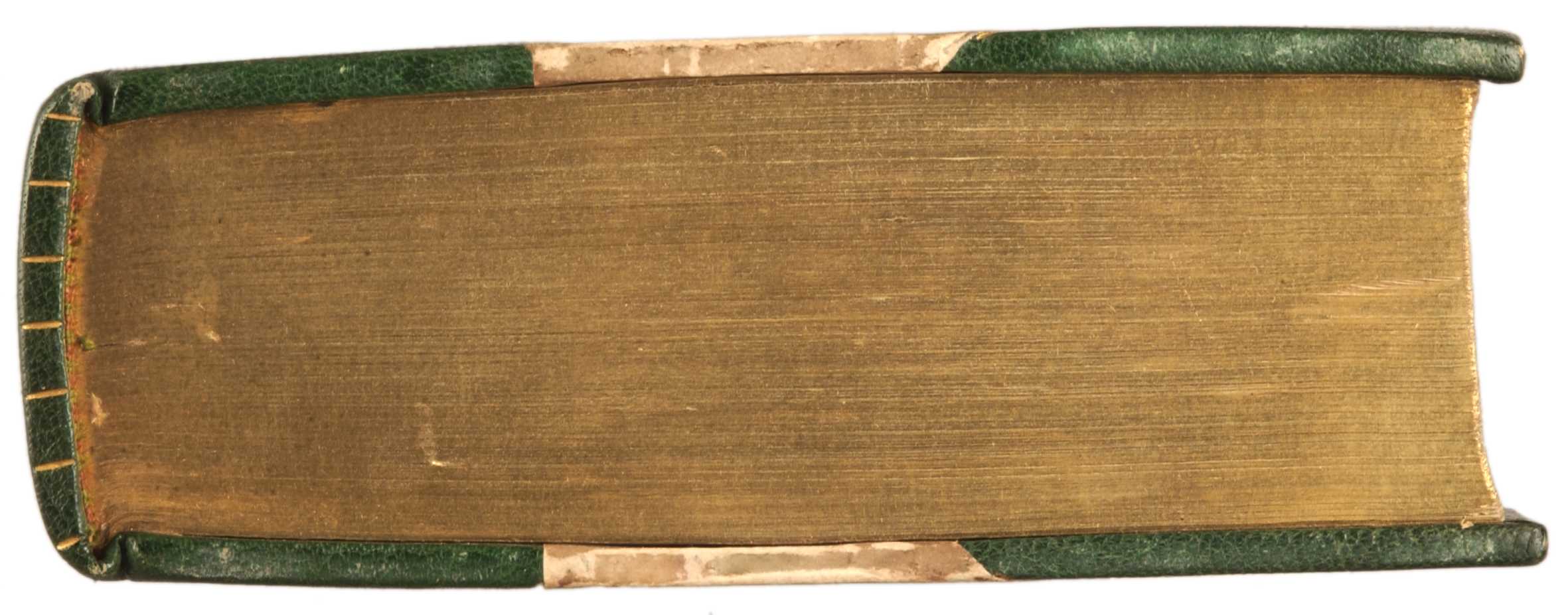
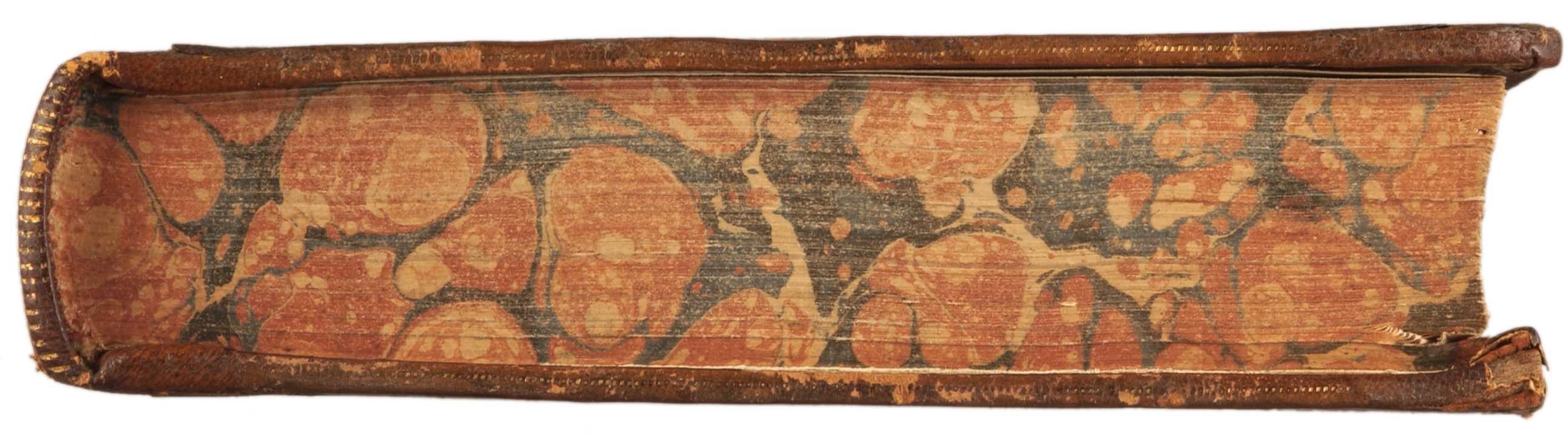
If you are holding a book in your hand, then the fore-edge is the long edge of the pages that you can turn or fan out. Fore-edge painting refers to any painted decoration of this fore-edge. Some are visible when the book is closed, but most are only visible when the pages are slightly fanned. The painting is further hidden when the book is closed by applying gilt (gold-leaf) or marbling to the edge. The most common type is a single fore-edged painting:

There are also split and panoramic fore-edge paintings. Split fore-edge paintings can be done on thick books, where each half of the book’s fore-edge has a different illustration (here’s an example). Panoramic fore-edge paintings occur not only on the book’s main fore-edge, but on the fanned-out top and/or bottom edges of the book as well, giving a near-270-degree panoramic view:

The most rare type are double fore-edge paintings, which show one image when the fore-edge is fanned out the usual way, and a completely different picture when the pages are fanned out in the opposite direction:

There are even triple fore-edge paintings, where the edge is not gilded or marbled and instead has an illustration visible when the book is closed. As far as I know, there are no fore-edge paintings on any books in the Dick Smith Library. However, I will be checking books with gilt or marbled edges in our Special Collections just to make sure!

Fore-edge paintings date back to the 10th century and were a popular art form in the 18th and 19th centuries. The detail on these miniature paintings is incredible! There are some great examples in the Boston Public Library Flickr set. For more information, check out these Delicious links.

Friday, March 6, 2009

Libraries' Surprising Special Collections

"Tucked away in libraries across the country are unexpected archives and world-class treasures" according to the Smithsonian.

Although the article is interesting, Jessamyn West made it much more useful by providing links to these collections (where available) at Unburied. The comments lead the reader to even more special collections across the country! I like stbalbach's observation that "Special collections are often the end result of one persons lifetime magnificent obsession."

And I learned that there is actually a name for all those pictures we draw on the page edges of our textbooks: fore-edge paintings! Wow! There is a name for everything! Tarleton, too, has special collections, which were noted in a previous blog. They are housed in a special section (of course) of the library. Visit us!

Wednesday, December 10, 2008

From Warehouse to Our House - Part 5

How items are added to the Dick Smith Library Collection
Part 5 - Processing


Items newly added to the collection come over to processing from cataloging with a barcode on them, but they are not quite ready to be checked out. Cataloging Assistant Sharon Alexander and three student workers have a number of steps to go through to prepare items for the shelves.

The first step in processing these items is to create a call number label (also called a spine label) using InfoWorks labeling software. For processing purposes, the call number information comes from inside the book on the page after the title page where it was written by Catalog Librarian Melissa Cookson

Once the call number label is created, it is affixed to the item, usually one inch above the bottom of the spine. If the spine is not wide enough, the label is placed in the top left-hand corner of the front of the item. Then the item is stamped in various locations with the “Tarleton State University-Dick Smith Library” property stamp.

After that, the pocket that has been traveling with the item since receiving is date-stamped with the current date. Reference items don’t have pockets (since they can’t be checked out); instead they have “For Reference Only” stickers, and these are also date-stamped. The pocket/reference sticker is affixed to the inside front cover of the item, except for items with dust jackets, where it goes on the fly leaf (the front of the book before the title page, opposite the inside front cover) instead. It should be positioned so as not to cover up any information if possible – sometimes the fly leaf or inside cover have maps or illustrations. Sometimes this means it has to go to the end sheet (the back of the book before the back inside cover), or even somewhere else if the end sheet has important information.

Protective book covers are then attached to paperbacks and books with dust jackets. Paperbacks are protected with an adhesive plastic cover that also adds strength and stability to the book. The dust jacket is protected with a polyester film layer which is taped to the front and back of the book with acid-free book tape. Books without dust jackets and other items (such as DVDs, CDs, and audiobooks) have a transparent label placed over the call number label to protect it.

When the item has received the proper protection, the next step is to use Sirsi Workflows, our integrated library system (the software that drives our circulation and catalog systems) to change the current and home location of the item from “In Process” to the appropriate department where the item “lives” (Stacks on the third floor, Reference or Government Documents on the main floor, or the various collections on the lower level). The “current” location changes when the item is checked out – but that will be covered in a post on circulation later!

A “FINISHED” sign is placed on top of the cart of completed items for Assistant Director of Monographs and Technical Services Glenda Stone to review. Then they are taken to the various locations in the library to be shelved for our patrons to enjoy. New items for the Stacks on the third floor are displayed temporarily in a new book display on the main floor, near the Library Instruction Classroom.

[This concludes the series on how items are added to the library's collection. Wednesday blog posts next semester will feature circulation, periodicals, book repairs, systems, and other library departments.]

Wednesday, December 3, 2008

From Warehouse to Our House - Part 4

How items are added to the Dick Smith Library Collection
Part 4 - Cataloging


Cataloging is a complex and sometimes confusing process. The goal is completeness and consistency, the latter so that one would (ideally) find the same basic information about the same item in whatever library one uses.

Catalog Librarian Melissa Cookson starts by wheeling a cart of newly-acquired items into her office. Most of the items are new additions to our library (rather than additional copies of something we already have, which require less cataloging). If the item is an EXACT match to something already in our collection (a second copy of the same edition, for example), she can skip down to the last step discussed below, adding another item record. If it’s not an exact match, a new bibliographic record must be added.

Melissa works with SmartPort, a part of Sirsi Workflows, our integrated library system (the software that drives our circulation and catalog systems). SmartPort links Workflows with OCLC (Online Computer Library Center), a global, nonprofit, membership, computer library service and research organization, that provides, among other services, a bibliographic utility for libraries to share catalog records.

Melissa says, “I first do a search (usually on ISBN – International Book Standard Number) for the item. I look for a bibliographic record that is DLC (created/edited by the Library of Congress), has a call number, and matches the item in hand (title, author, publisher, year, edition).” She will try different searches (such as author or title, particularly if the item does not have an ISBN) to find the record that is the best possible match.

If she finds something she can work with, she posts our holding while she’s connected to OCLC through SmartPort. This is what allows you to search WorldCat, an online catalog of libraries worldwide that are members of OCLC, and see that Tarleton State University has the item. Then she captures the record, which loads it into Workflows, either adding it to our catalog system or overlaying a record already there (if one was created during the ordering process). Melissa adds, “If I can’t find something I can work with, then I’ll have to create a new record, either based on one that’s close to what I want, or entirely from scratch. This is a very time-consuming process, but I don’t have to do it often.”

The next step is to edit the local bibliographic record (which is not reflected in the record you see in WorldCat). Melissa checks “just about everything” in the MARC record that was downloaded through SmartPort. MARC is MAchine Readable Cataloging, a standardized format developed by the Library of Congress for the representation and communication of bibliographic and related information of a cataloging record. The format facilitates storage, retrieval, and editing of bibliographic records in computerized (automated) library systems. “It’s all very nitpicky,” she says, but it’s important.

She then adds the 590 (a local) field to the record, which includes the date received, vendor, funding source, selector (if applicable), and item cost that were written in the book's gutter across from the copyright page (or, for audiovisual items, on the library pocket that was inserted) during receiving, as well as the barcode number. Two barcodes stickers are added to the item – one to the top right corner of the front cover, and one to the pocket that will be stuck inside the item.

She also writes the call number in the book on the page after the title page (usually – on the library pocket for AV items). The call numbers either come from OCLC or are generated by Melissa for bibliographic records she creates from scratch, sometimes with the help of a free online tool called The Cataloging Calculator. If the item is part of a particular collection (such as curriculum, audiovisuals, local history, or reference,) or of a particular type (CD, DVD, audiobook, teacher resource book, etc.), that becomes part of the beginning of the call number – for example, AV AUDIO for audiobooks, EDUC REF for reference books in the Curriculum Collection, etc.

The last step is to add the item record in Workflows, which will correspond with the barcode (one item record per barcode). Melissa includes the item’s price, barcode, the vendor if it’s Blackwell, and whether or not it’s a new title. She also assigns item type – most things are books, but we also have audiobooks, CDs, DVDs, maps, reference materials, and so on. The home and current location at this point is still INPROCESS. This is “where” the item will show up as being when you check our online catalog. Later the home location will be changed to wherever the item “lives” (Stacks on the third floor, Reference on the main floor, or the various collections on the lower level) – but that will happen in the next step, processing (next week!).

Wednesday, November 26, 2008

From Warehouse to Our House - Part 3

How items are added to the Dick Smith Library Collection
Part 3 - Acquisitions - Receiving Items


The receiving process for new books and other items at the library is rather complex, varying depending on the way the library acquires them: through the Blackwell approval plan, departmental budgets, the library’s budget for specialty items, and standing orders.

A standing order is one the library places to receive all parts of a multi-part work as volumes are published, such as multi-volume reference works, until a publisher or vendor is notified to cancel or the multi-part work is complete. When these items come in, the library’s Primary Standing Order list is updated with the received date and item cost from the invoice. A post-it note is placed in the front of each book with ‘SO’ and the vendor, the received date, and invoice cost. The invoices then go to Acquisitions Assistant Kay Wiley for payment in the university’s Financial Accounting Management Information System (FAMIS).

Acquisitions Librarian Jodee Tennyson, and Assistant Director for Monographs and Technical Services Glenda Stone handle the Blackwell approval plan books when they come in. They check the titles against the invoice included with the books. They write the invoice number and the date received on a card provided with each book, and then place the books with the cards on shelves sorted by academic department, where the library’s liaisons to those departments (and sometimes professors from those departments) review them and decide which to keep and which to send back. Again, the invoices go to Kay for posting in an Excel worksheet. Books that are sent back to Blackwell are credited back to our account with them so the money can be spent on other approval plan books.

Items that are ordered individually, whether from academic department or library funds, are given an “R number” by FAMIS, and this number is also entered into Workflows, our integrated library system (the software that drives our circulation and catalog systems), by Jodee. Kay posts the relevant information in the appropriate account worksheet and requests that the R number be changed to a P (purchase order) number in FAMIS. All the paperwork is labeled and filed, and then Kay and her student workers wait for the books to come in.

Orders come into the University’s Central Receiving department, and then to the library where the delivery form is dated and signed. Kay and her workers unpack shipments and place them on a book truck with the shipping forms. Items are matched against the invoices and/or packing list, and the item’s paperwork is pulled from the files and updated with the received date and the item’s cost, and Workflows is updated to show that the item has been received. When the invoice is received for the items Kay then will process the invoice for payment.

A library pocket is inserted or paper-clipped to the books or audiovisual items along with relevant paperwork. Audiobooks with more than four discs are put into a vinyl binder with cloth sleeves for the CDs, and the cardboard case the audiobook came in is cut apart and inserted in the outer cover sleeve of the binder. The date received, vendor, funding source, selector (if applicable), and item cost are also written in the book's gutter across from the copyright page (or, for audiovisual items, on the library pocket that was inserted). Then the items are moved to cataloging – this step will be discussed next week.